
Coastguard
Coastguard is Coast's local web UI (think: Coast's Docker Desktop-style interface), running on port 31415. It is launched from the CLI:
coast ui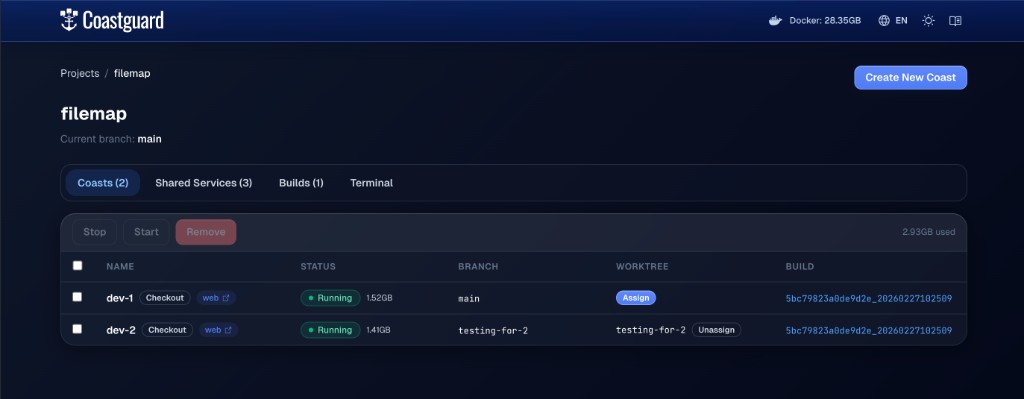 The project dashboard showing running Coast instances, their branches/worktrees, and checkout state.
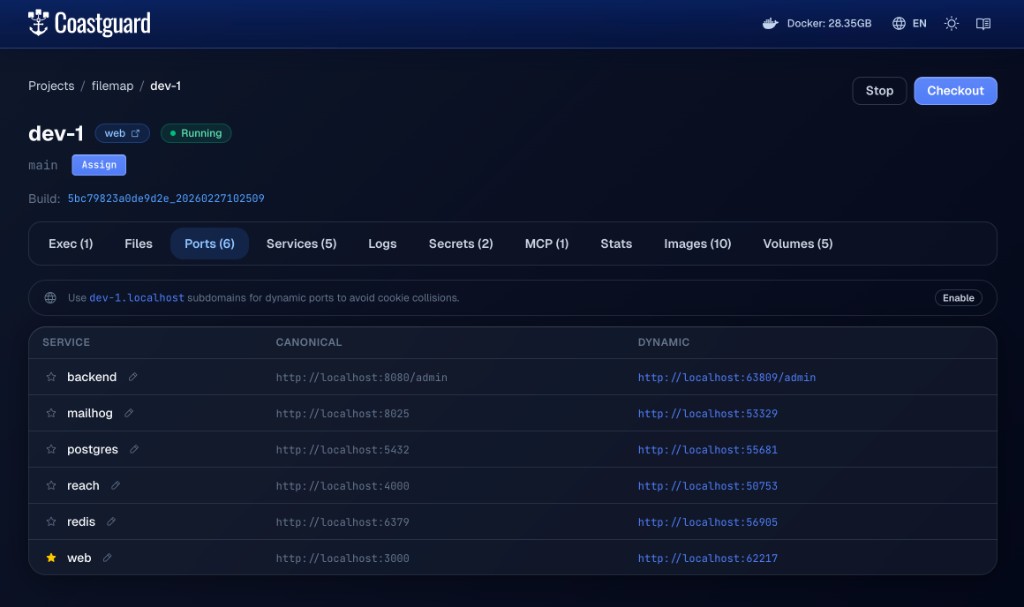 The ports page for a specific Coast instance, showing canonical and dynamic port mappings for each service.
What Coastguard Is Good For
Coastguard gives you a visual control and observability surface for your project:
- See projects, instances, statuses, branches, and checkout state.
- Inspect port mappings and jump directly into services.
- View logs, runtime stats, and inspect data.
- Browse builds, image artifacts, volumes, and secrets metadata.
- Navigate docs in-app while working.
Relationship to CLI and Daemon
Coastguard does not replace the CLI. It complements it as the human-facing interface.